
Gå til innhold
View in the app

A better way to browse. Learn more.

Bimmers.no | BMW Forum

A full-screen app on your home screen with push notifications, badges and more.

To install this app on iOS and iPadOS
  1. Tap the Share icon in Safari
  2. Scroll the menu and tap Add to Home Screen.
  3. Tap Add in the top-right corner.
To install this app on Android
  1. Tap the 3-dot menu (⋮) in the top-right corner of the browser.
  2. Tap Add to Home screen or Install app.
  3. Confirm by tapping Install.
🔧 Vi fornyer Bimmers.no! Oppgraderinger gjennom november kan medføre periodevis ustabilitet. Takk for tålmodigheten!

BMW E36 overhaling
Featured Replies

  • Svar 520
  • Visninger 101.2k
  • Created
  • Siste svar

Top Posters In This Topic

Skrevet
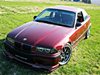
Da skal jeg fikse min BMW E36 320 coupe

Her er lista på hva som skal gjøres.

*Bakstilling pulverlakeres og alt nytt.+ forsterkninger

*Alt av bremserør byttes.

*Evt bytte motor til 325 og overhale den.

*Lakere motorum og pusse ned bil.

*fikse interiøret litt og andre gromme deler

88ytvwu68vlcoyabfoo2.jpg

zvxx1oqu6qzhb0z32rxb.jpg

tj0wb63f1t5lvqnerbgs.jpg

hd88g60vs6toh10zvgio.jpg

er lakk koden på den fargen på bilen din ?

Opprett en konto eller logg inn for å kommentere

Hvem er aktive 0

  • Ingen innloggede medlemmer aktive

Account

Navigation

Søk

Søk

Configure browser push notifications

Chrome (Android)
  1. Tap the lock icon next to the address bar.
  2. Tap Permissions → Notifications.
  3. Adjust your preference.
Chrome (Desktop)
  1. Click the padlock icon in the address bar.
  2. Select Site settings.
  3. Find Notifications and adjust your preference.