🔧 Vi fornyer Bimmers.no! Oppgraderinger gjennom november kan medføre periodevis ustabilitet. Takk for tålmodigheten!

Monica 325i
Medlem
-
Ble med
-
Besøkte siden sist
Alt skrevet av Monica 325i
-
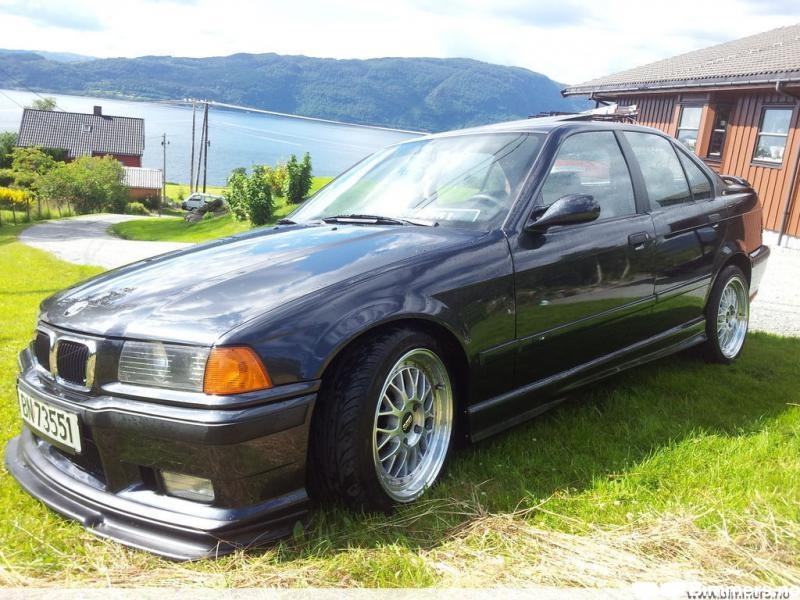
har fortsatt bmw'`n, legges ut på finn.no denna veko! Ska på EU godkjenning denna veka!
-
Har den ennda
-
Opp
-
Kvinnherad
-
35000/ ell bud !!
-
Har bilen ennda !! Går billigt grunna huskjøp.
-
opp
-
har du peiling ell? vist ikkje du e interissert kan du la ver!
-
ser den! mn selge denna pga huslån! å så har eg ein bil t:)
-
hehe morsomt! må nok opp ein del kr ja!!
-
e kje heilt sikker på da mn teke no imot bud
-
ynsjer reint salg helst
-
-
greit da
-
kom me bud litt usikker på kva den e verdt
-
-
opp
-
opp
-
opp
-
opp
-
opp! ser helst at seriøse folk tek kontakt har vore nok av tullinga no!
-
opp
-
opp
-
kor mykje for framstillinga?
-
Opp